Compensation on 3D Printing Slicer
tags: 3D Print
Why?
Due to the fact that filament shrinks/expands after extruction (this is physic). It is necessary for us to do the compensation, if we want our print to have accurate dimensions.
https://manual.slic3r.org/troubleshooting/dimension-errors
What will be affected(compensated)?
- The holes printed on X-Y plane
- The outline of the print on X-Y plane
Slicer fields that involved
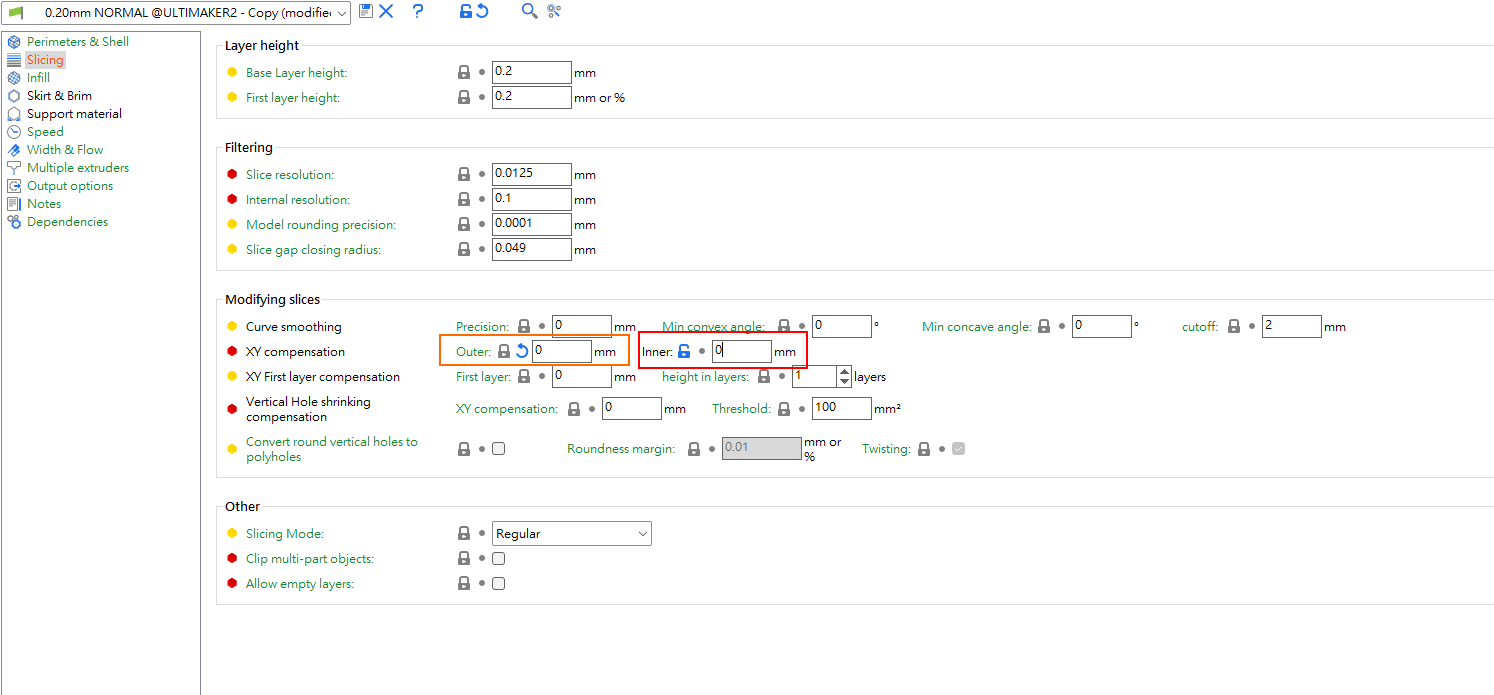
Red control the offset of inner edge.(Compensate holes)
Orange control the offset of outer edge. (Compensate slites)
Set both values in red and orange to 0 first.
Print the test print and start the process.
How?
About Outline
Test print STL: https://v611.designandmake.org/tools/testprint/slite_test.stl
or you can download here: slite_test[1].stl (10.8 KB)

Expected dimension:
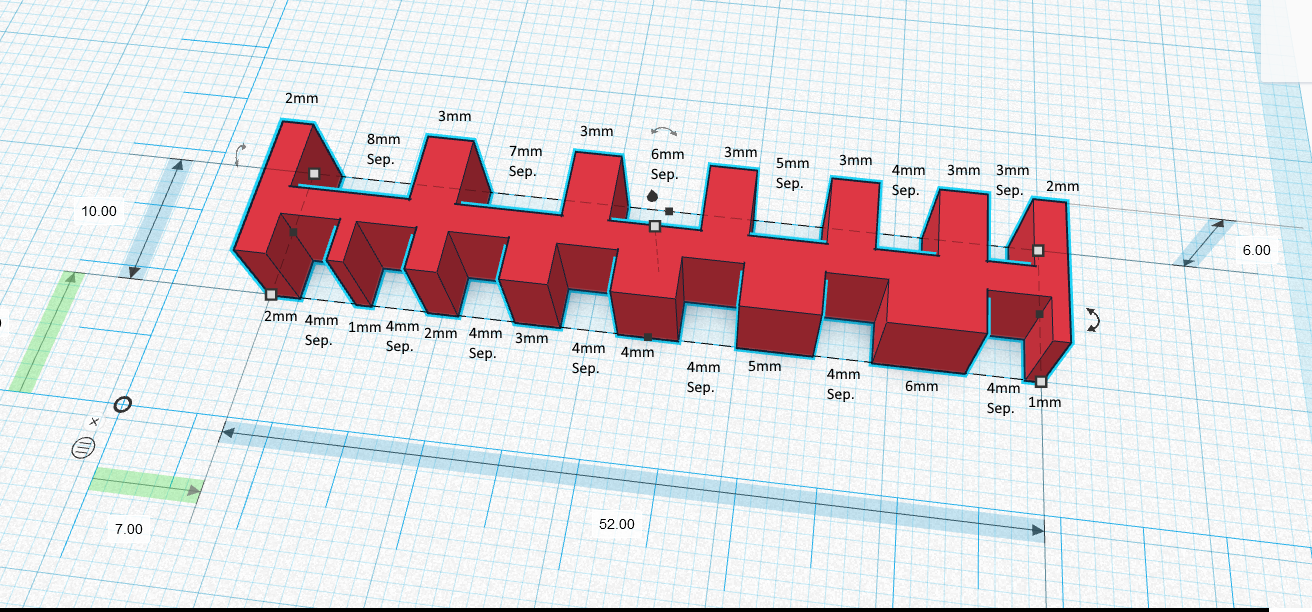
Measure the length of the slite(Let’s label it as S), then compare with its theoretical value(Let’s label it as T).
Value that you put into the orange box = ((S - T)/2)
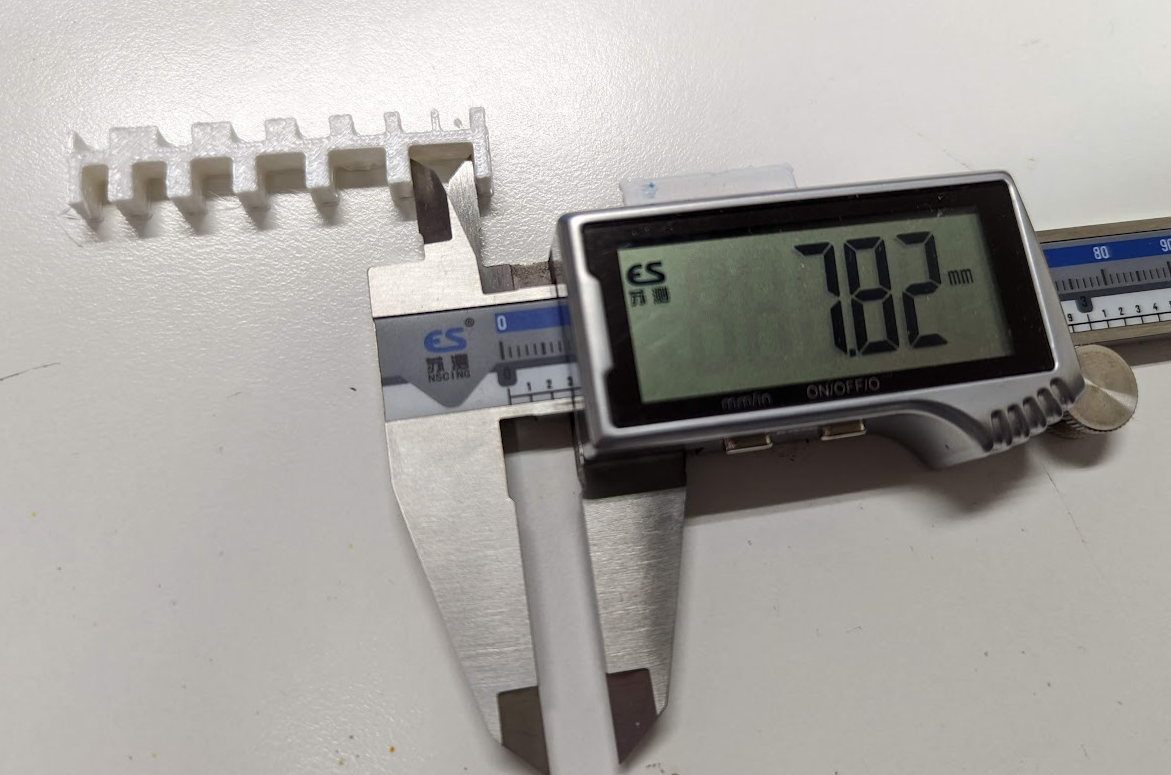
For exmaple, the slite is 7.82, while it should be 8. By applying the above formula, input -0.09 (By (7.82 - 8)/2) into the orange box.
About Holes
Test print STL: https://v611.designandmake.org/tools/testprint/hole_test.stl
Or you can download here: hole_test[1].stl (48.1 KB)
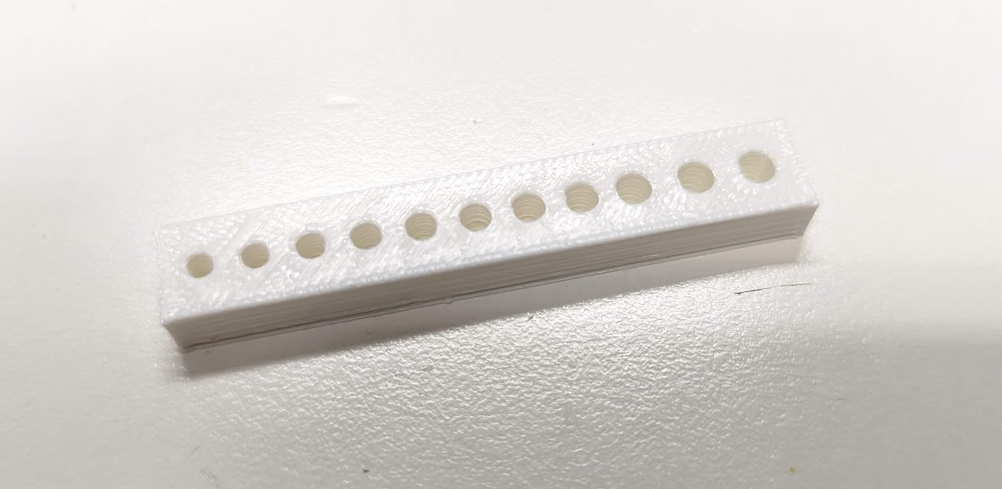
Expected dimension:
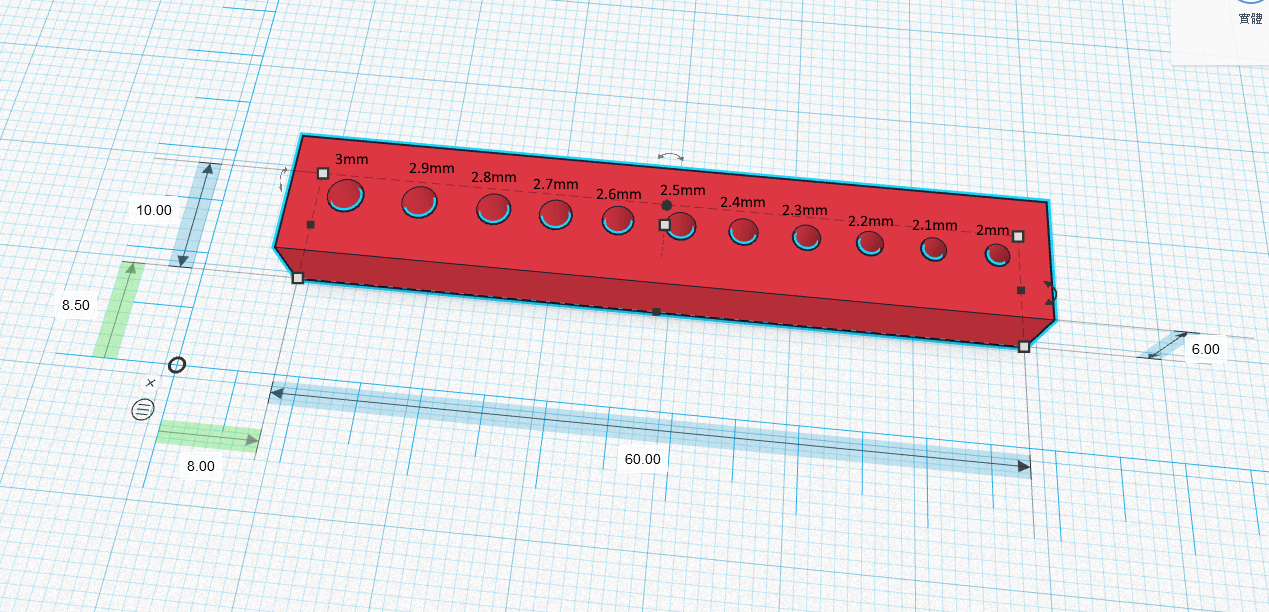
Measure the 3mm hole and read the diameter(let’s label it as D).
Value that you put into the red box = ((3 - D)/2)
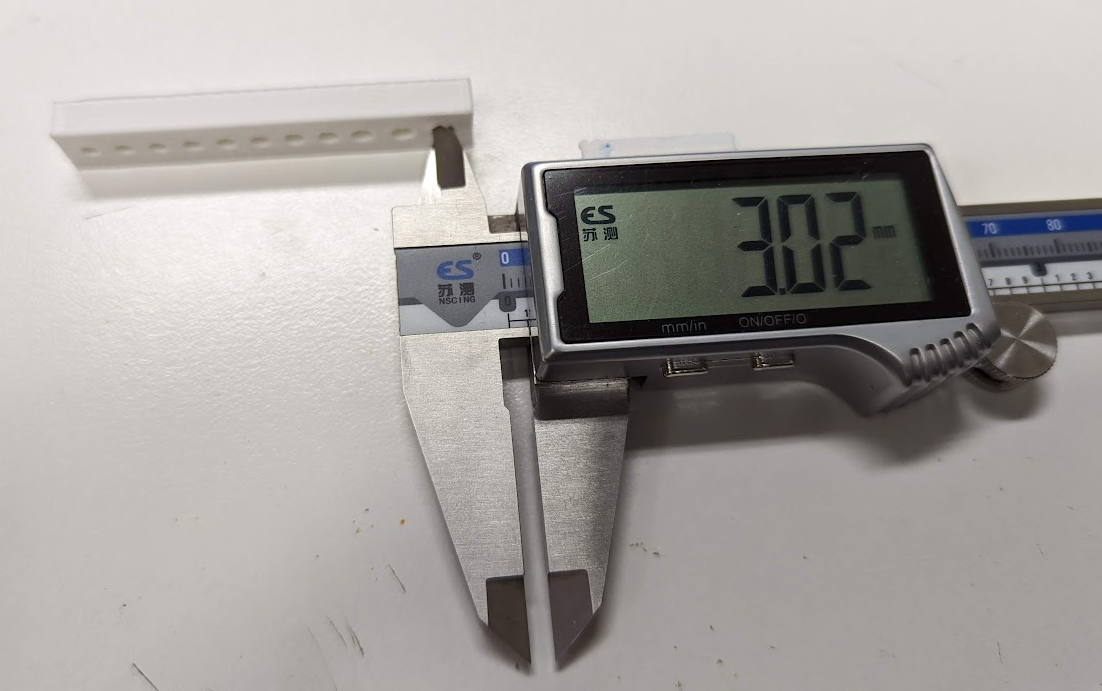
For exmaple, the actualy diameter is 3.02mm. By applying the above formula, input -0.01 (By (3 - 3.02)/2) into the red box.
Explanation
Model for explination
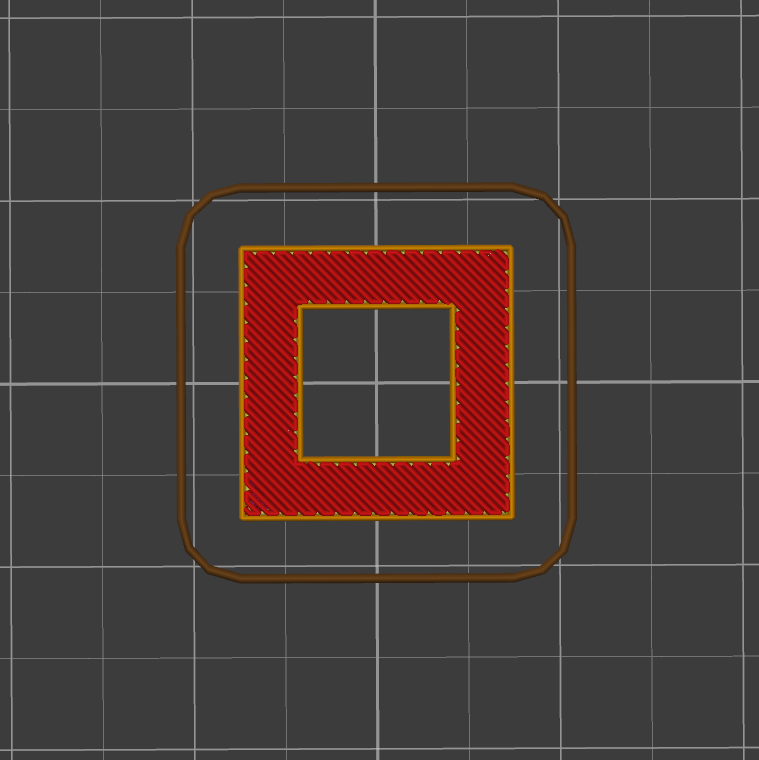
This is a 20mm sqaure, with a 10mm square hole in the middle.

In superslicer, 1 grid represents 5mm by 5mm.
Both of the Inner and Outer compensation set to 0mm(original size) looks like this:
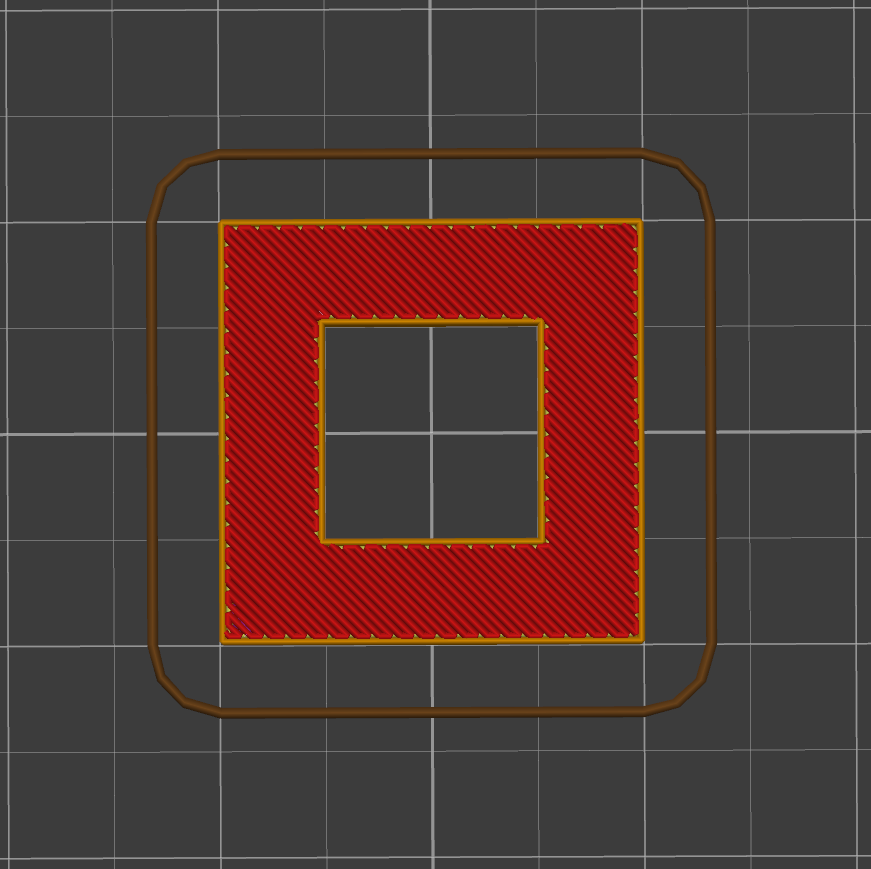
If outer value is positive(expand), the inner value can only be negative(Slicer will ignore number sign), which means inner edge can only expand inward(towards center).
If outer value is positive and negative, the inner value can be positive and negative.
Example 1:
Outer value: 5mm
Inner value: -2.5mm

Example 2:
Outer value: 5mm
Inner value: 2.5mm
As said, inner value will be treated as negative.
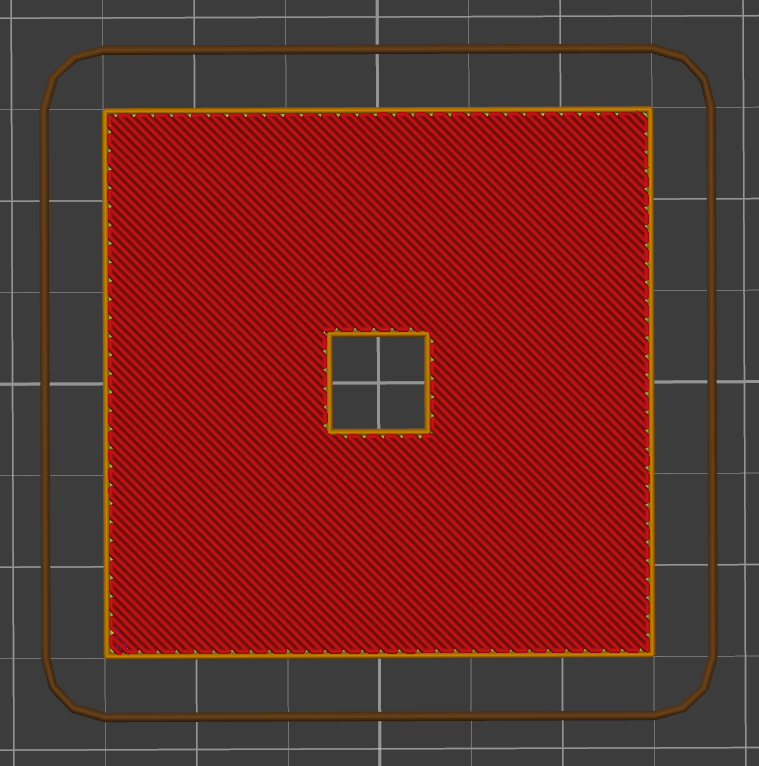
Example 3:
Outer value: -2.5mm
Inner value: 1mm
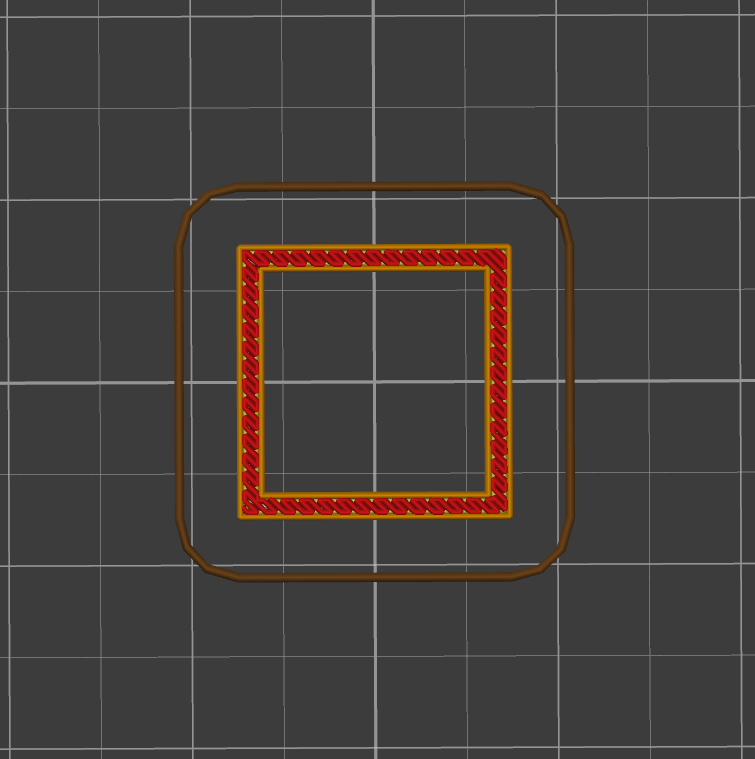
Example 4:
Outer value: -2.5mm
Inner value: -1mm